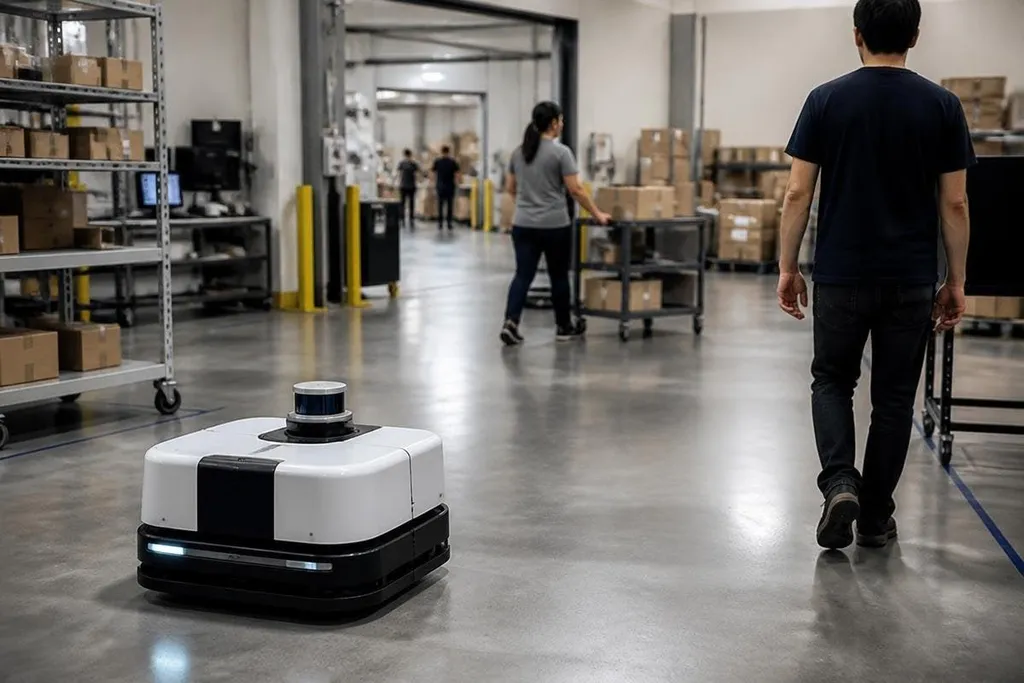
Moving through an empty warehouse, a robot can follow a planned route. Add people, carts, doors, and sudden stops, and the robot needs to read the space again every moment. AI helps by turning sensor data into a map, a guess about what may move next, and a path that can change as conditions shift.
- Sensors build a live view of nearby objects.
- Prediction helps the robot allow for human movement.
- Safety rules can stop the robot when its view or data is poor.
The robot starts with sensor data
The robot may use LiDAR, cameras, depth sensors, and wheel encoders. LiDAR measures distance with light, while cameras add visual detail. Wheel encoders report how far the robot’s motors have turned.
Each sensor has a gap. A camera can struggle with poor light. LiDAR can detect a person but may offer less detail about what that person is holding. Wheel data can drift when a wheel slips.
AI combines these inputs so the robot has more than one clue about its position and surroundings. The result is often an occupancy map. It marks open space, fixed objects, and areas the robot should avoid. The map changes as new sensor readings arrive, so a person crossing the route can become a moving obstacle instead of a point the robot ignores.
Prediction matters more than a clear path
A path planner can find a route around a box. Crowded spaces are harder because people do not move like boxes. A person may pause, turn, step backward, or change direction after seeing another person.
AI models can study movement in the sensor data and estimate where an object may be next. That estimate does not need to be perfect to help. When the prediction is uncertain, the robot can slow down and leave more space.
The robot then checks several possible paths. It weighs distance, speed, turning room, and the risk of getting too close to a person. A route that saves a few seconds may lose to one that gives a wider gap and a better view.
This process repeats while the robot moves. The system senses, updates the map, checks the route, and sends new commands to the motors. That loop is why a robot can respond to a cart entering its path instead of waiting for a person to edit its route.
AI does not replace safety rules
A trained model can help identify people and predict motion, but it should not control every safety decision. A separate safety layer can set speed limits, watch protected zones, and stop the robot when a sensor fails.
That division matters. AI works with uncertain data, while a safety controller can follow a fixed rule. If a person comes within a defined distance, the robot can stop even when the model is unsure what the person will do next.
The design also needs a recovery plan. After a stop, the robot may wait for the route to clear, ask for a new path, or send the task to a remote operator. Each choice affects delivery time and the amount of human support the site needs.
A blocked aisle can turn a planned route into a wait, a detour, or a remote-control request. Robot24 covers the machines and trials behind those choices, giving you a way to compare movement claims before the next section tests where crowded-space navigation breaks down.
Where the approach breaks down
Crowded movement remains hard when objects block the sensors. A person hidden behind a large cart may appear only after the cart moves. A reflective floor, a dark corner, rain, dust, or a camera blocked by dirt can also reduce the quality of the data.
Training data creates another limit. A model built around warehouse traffic may behave less well in a hospital, airport, or public street. The robot may recognize a person but still misread a child’s movement, a wheelchair, a loose package, or a group spreading across a doorway.
Communication delays matter too. If the robot sends sensor data to a remote computer, a weak network can slow the response. Local processing reduces that delay, but it may need more computing hardware on the robot.
AI also needs a clear measure of success. A robot that reaches its destination while stopping every few meters may be safe, yet too slow for the job. A useful test records stops, near contacts, route changes, task time, and the cases where a person had to take control.
A practical check before you buy
Use this list when comparing a robot for a busy site:
- Map sources: Ask which sensors build the map and what happens when one sensor gives poor data.
- People tracking: Check how the robot handles a person who stops, turns, or walks behind an obstacle.
- Speed limits: Confirm who sets the limits and whether they change near people, doors, or loading areas.
- Stop recovery: Ask how the robot restarts after a safety stop and how often staff must help.
- Local control: Find out which decisions run on the robot and which depend on a network connection.
- Site testing: Run trials during busy periods, then record stops, task time, and route changes.
I'd choose a robot with slower movement and clear stop recovery over one that posts a faster empty-floor route.
The open question is how well each system handles the people and layouts its training data did not include. Ask for site results under busy conditions, then judge the robot by its stops and recovery time, not by a clean demonstration in an empty room.